ctHelixCAD™ — built for the people on the console all day.
Production-grade Computer-Aided Dispatch for full-time agencies and 24/7 operations centers. A keyboard-driven console with a fully customizable command line, structured call intake, live unit status, and a single record that flows straight into records and mobile.
Municipal, county, campus, and institutional dispatch centers that need real CAD — not a glorified spreadsheet.
- Customizable command line — your codes, your shortcuts
- Live unit status board
- Structured call intake & priorities
- Capability-based unit recommendations
- Clean handoff to records & mobile
The console you actually want to use for 12 hours.
Most CAD software was designed in a different decade — by people who never had to work a console. ctHelixCAD starts from the dispatcher's seat.
Command-line driven — your agency's way
Veteran dispatchers don't reach for a mouse — they type. ctHelixCAD ships with a full command-line interface, and every command is configurable. Map the codes and shortcuts your agency already uses; nobody has to learn a new vocabulary.
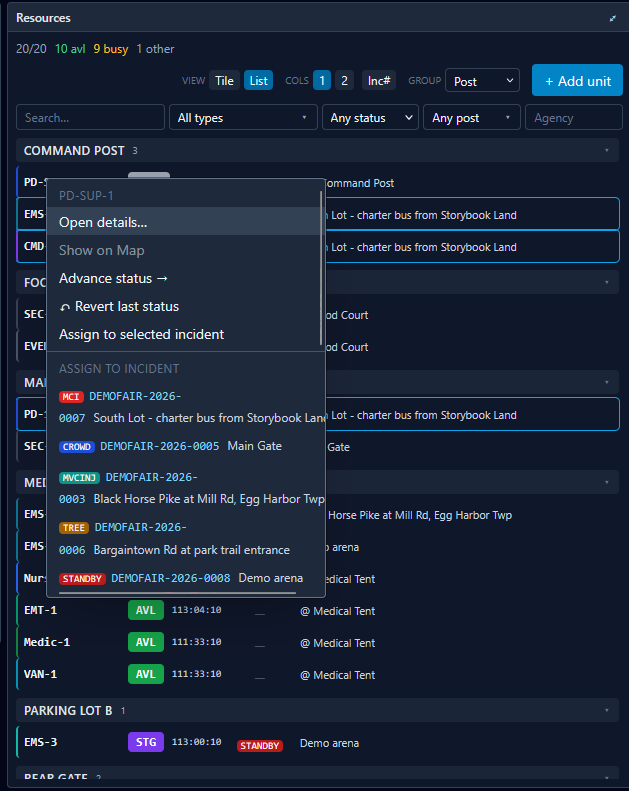
Live unit board
See every unit's status and current assignment at a glance. Status changes ripple instantly across all positions.
Structured call intake
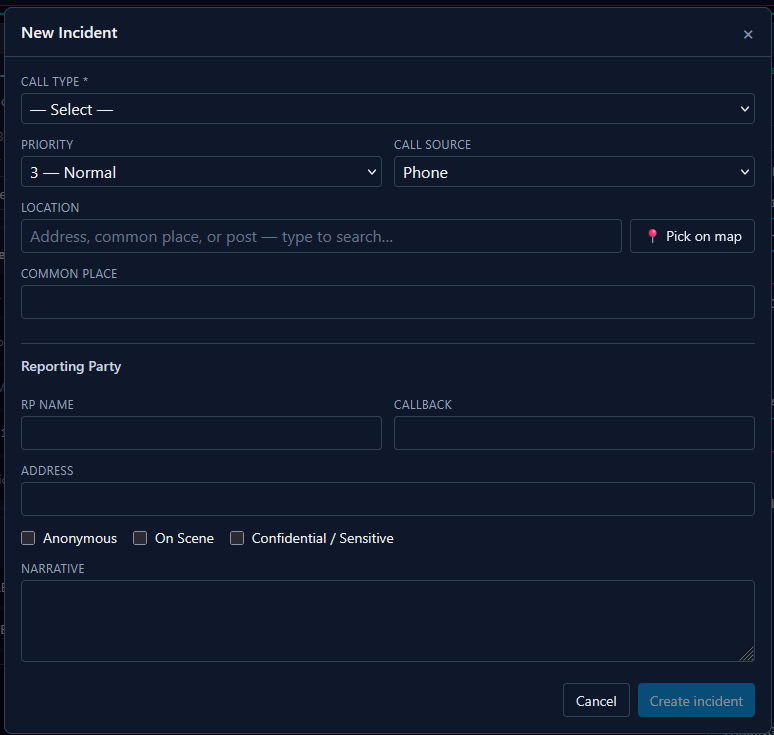
Guided intake captures the right details for each call type — not a free-text field that loses information.
Smart unit recommendations
The system suggests the right units based on availability, capability, and call type. Dispatchers stay in control; the software does the math.
Priority queue
Pending calls sorted by priority, with visible aging so nothing falls off the radar during a busy shift.
Multi-position aware
Designed for centers where multiple dispatchers share a single operational picture — changes are visible to everyone instantly.
Handoff to records
When the call closes, the incident is already half-written. No double entry into the records system.
A customizable command line — your codes, your shortcuts.
Veteran dispatchers don't reach for a mouse — they type. ctHelixCAD ships with a full command-line console where every action is one short, deliberate command away.
And the command set is yours. Map the codes and shortcuts your agency already uses, so dispatchers carry over their muscle memory instead of learning a new vocabulary. The software adapts to your operation, not the other way around.

- Configurable command set — map every command name and code to match your agency's existing vocabulary.
- Inline help — the prompt shows the command signature and valid codes as you type.
- Hands stay on the keyboard — intake, assignment, status changes, queries — all reachable without a mouse.
- Import your existing commands — we help you bring over your current command set during onboarding.
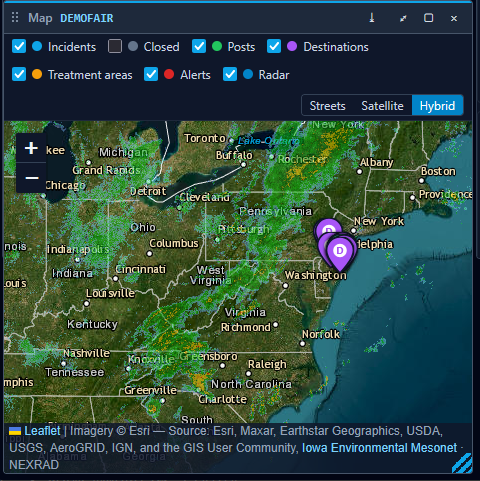
What ctHelixCAD looks like from the dispatcher's seat.
Real screens from the product.
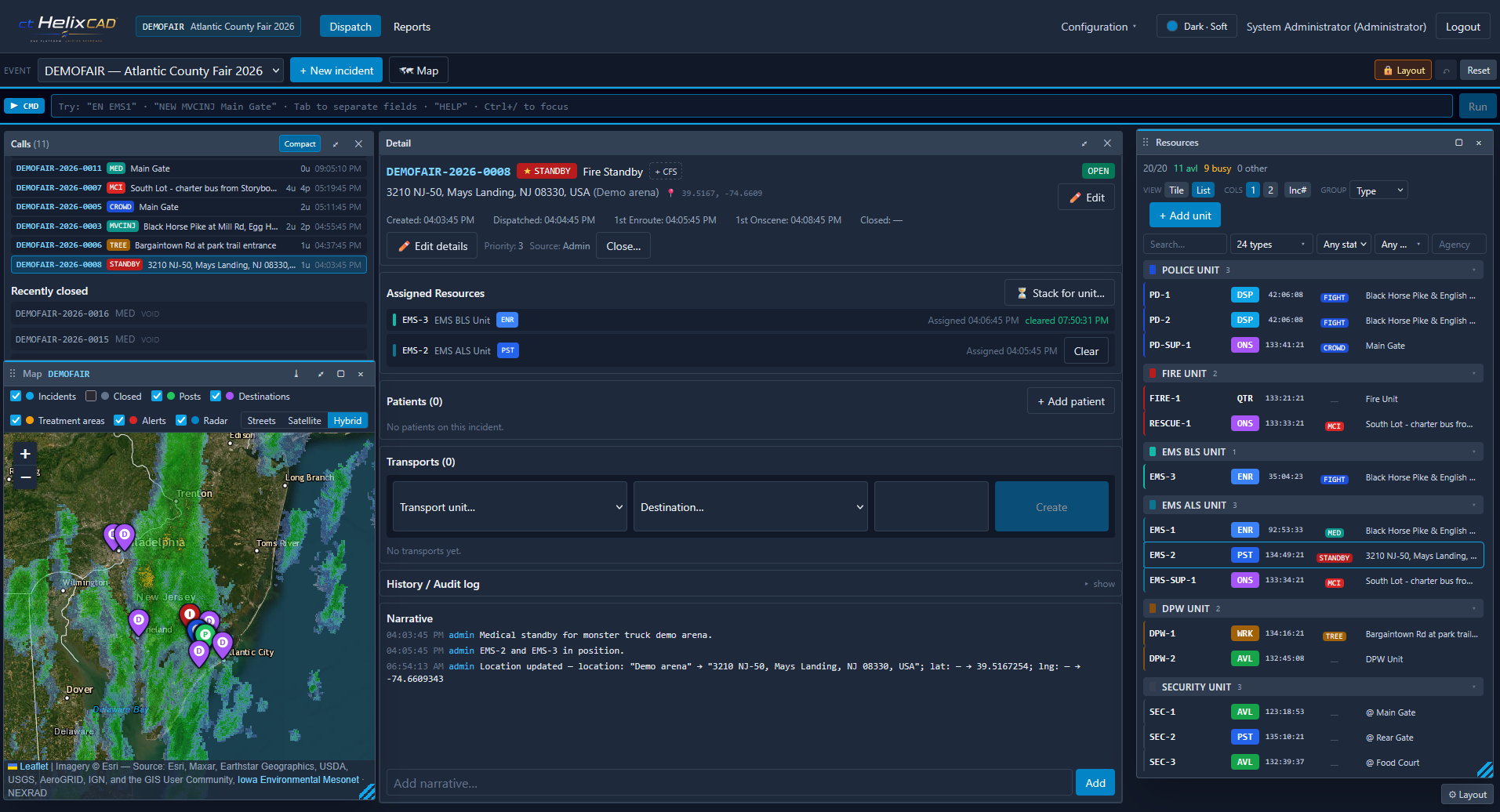
What a typical shift looks like.
8:14 AM — multi-unit dispatch
A call comes in. The intake screen captures location, type, and priority in a structured form. ctHelixCAD suggests three available units with the right capability. The dispatcher's hands never leave the keyboard — a short, agency-specific command assigns all three units, status flips on the board, and the response timer starts.
10:42 AM — busy queue
Six calls pending, two of them priority. The queue is sorted automatically, with aging visible on every card. Nothing gets buried, and the dispatcher can see which calls are within service-level thresholds at a glance.
3:21 PM — shift change
Outgoing and incoming dispatchers work the same operational picture. There's no 'briefing document' to write — the live state of every unit, call, and assignment is right there.
Questions buyers ask before signing on.
When will ctHelixCAD be available?
How is it different from legacy CAD systems?
Can we use our agency's existing command codes and keyboard shortcuts?
Can we deploy it in our own environment?
What about smaller operations?
More on ctHelixOne™
ctHelixCAD™ Portable
Backup CAD, small-agency CAD, and event-based dispatch — same full feature set.
Read morectHelixRMS™
Records management with incidents flowing in from dispatch.
Read morectHelixMobile™
Field-mobile for officers writing reports in moving vehicles.
Read moreReady to see it in action?
Book a 30-minute walkthrough and we'll tailor it to how your team works.