Full ctHelixCAD capability — in a portable footprint.
ctHelixCAD™ Portable ships with the full dispatch capability of our flagship ctHelixCAD — not a stripped-down version. Same console, same command line, same feature set. Use it as a backup / failover CAD for a larger agency, as full CAD for a smaller department, or as event-based dispatch for command posts, stadiums, festivals, and field operations.
One product, three deployment models. Same console as full ctHelixCAD — sized to your operation, your event, or your failover plan.
- Backup / failover CAD for larger agencies
- Full CAD for smaller departments
- Event-based dispatch — set up, run, archive
- Customizable command line — your codes, your shortcuts
- Same feature set & security as full ctHelixCAD
Full dispatch capability — three ways to deploy it.
Portable isn't a feature-reduced version of ctHelixCAD. Every command, every screen, every workflow from the full product is here — packaged for a smaller footprint. Use it as a backup / failover CAD, as full CAD for a smaller department, or for event-based and field deployments.
Command-line driven — your way
Same keyboard-first console as full ctHelixCAD. The command line is fully configurable, so you can map your team's codes and shortcuts rather than learning ours. Critical for event teams and security firms with their own established vocabulary.
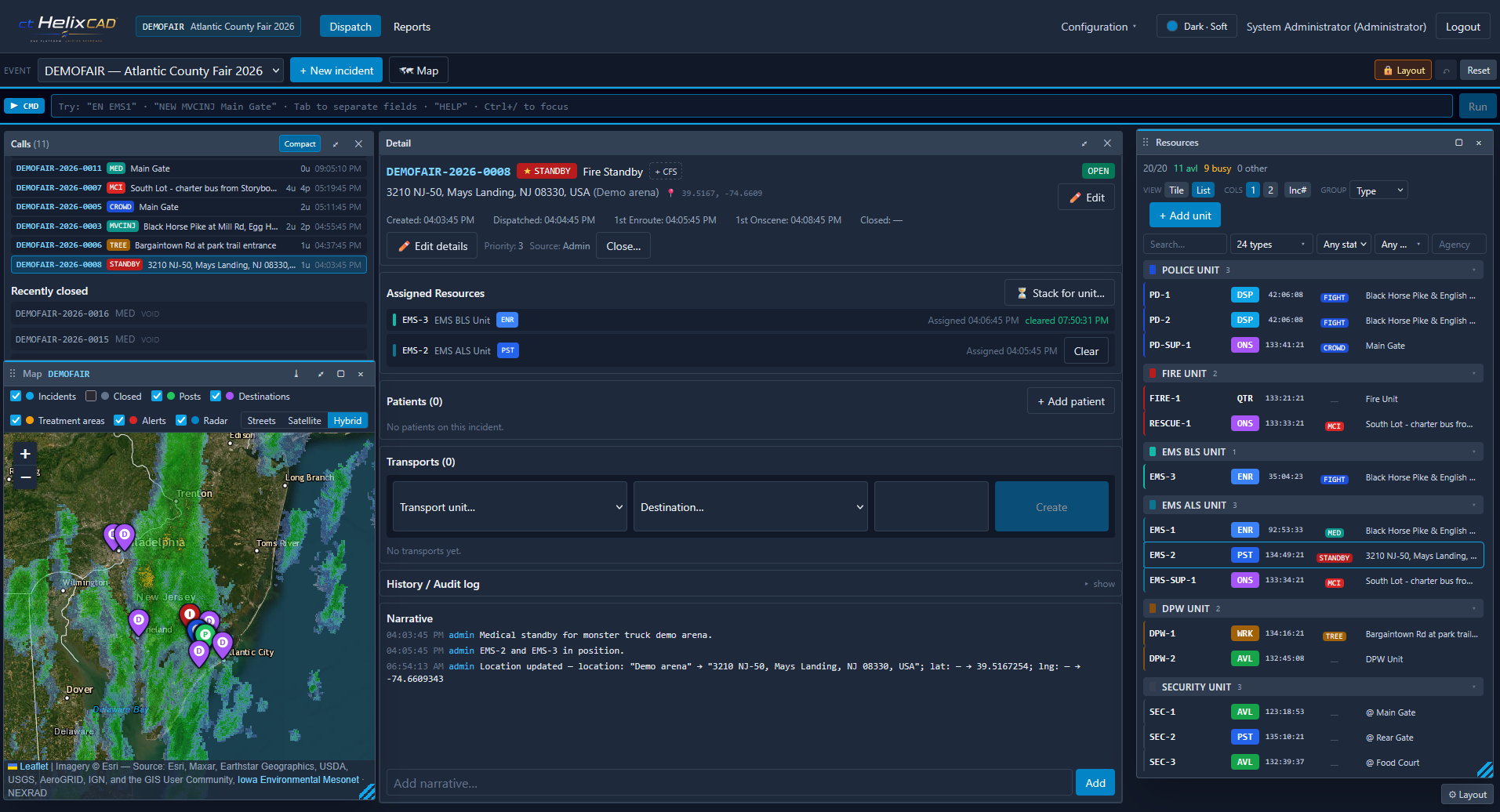
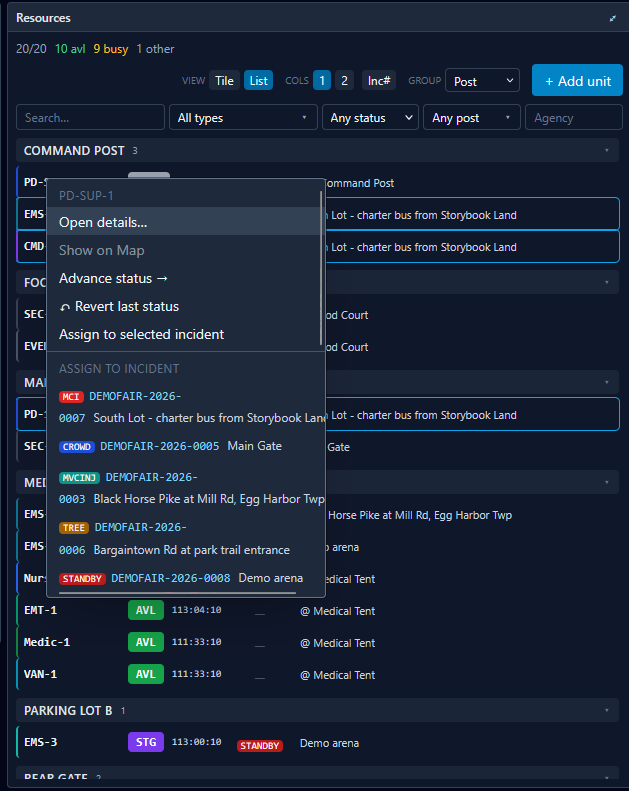
Live unit board
Status and assignments for every unit on duty — same as the full product.
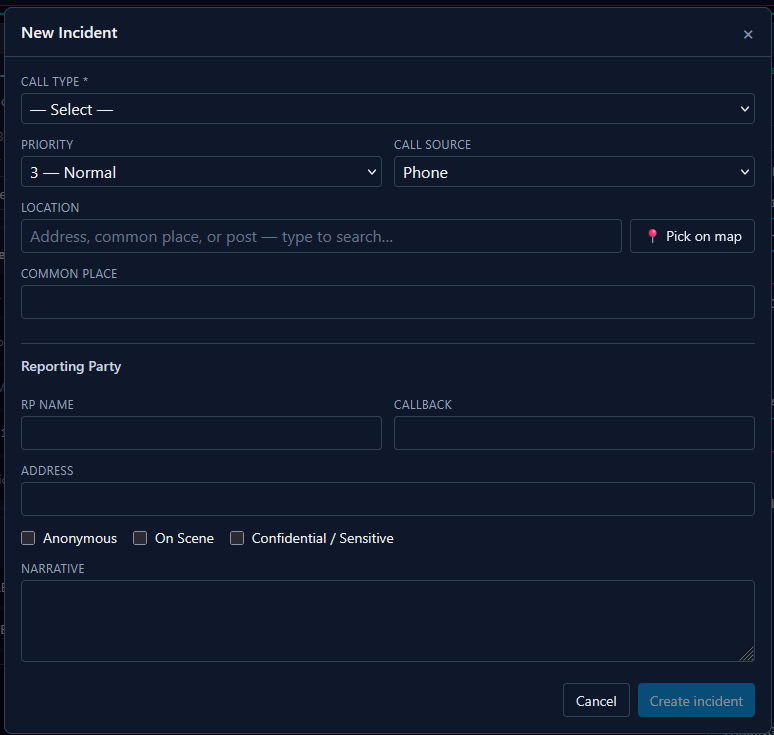
Structured call intake
Guided intake for each call type. Don't lose details to free-text notes.
Smart unit recommendations
Unit suggestions based on availability, capability, and call type — configured to your operation.
Backup / failover CAD
Keep Portable available as a hot standby for your primary CAD. When the main system goes down for maintenance, an upgrade, or an outage, stand up Portable to keep dispatch moving — same console and command set, so dispatchers aren't fighting a different tool in a high-pressure moment.
Full CAD for smaller departments
Smaller agencies that don't need a 911-grade installation still get every feature of full ctHelixCAD — same intake, same unit board, same command line, same records handoff. No need to outgrow Portable later; if the agency expands, the same software scales up with them.
Built for events
Stand up dispatch for a stadium, festival, parade, exercise, or campus event in days. Run it for the duration. Archive the records and tear it down when the event ends — then spin it back up for the next one.
Command-post deployment
Designed for command posts and tactical operations centers — works from a trailer, an EOC, or a remote office.
Same security as full CAD
Encryption at rest, role-based access, and audit trails — Portable isn't a downgrade on security.
A customizable command line — your codes, your shortcuts.
Portable runs the same command-line console as full ctHelixCAD. Every action is one short, deliberate command — no menu hunting, no clicking through tabs.
And the command set is yours to define. Security firms, event ops, and smaller agencies all have their own vocabulary; ctHelixCAD adapts to it rather than asking your team to retrain. Map your codes during setup and dispatchers keep the muscle memory they already have.

- Configurable command set — map command names and codes to match your team's existing vocabulary.
- Inline help — the prompt shows the command signature and valid codes as you type.
- Hands stay on the keyboard — intake, assignment, and status changes are all keyboard-driven.
- Same console as full CAD — if your operation scales up, the command set comes with you.
Same product, sized to your operation.
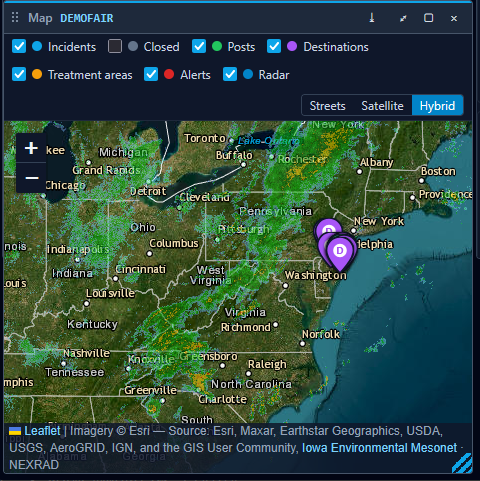
Portable runs the same console as full ctHelixCAD — these are screens from the actual product.
What teams use Portable for.
Backup / failover CAD
A larger agency keeps Portable on hand as a backup to their primary CAD. When the main system is down for maintenance, an upgrade, or an outage, Portable can be stood up to keep dispatch moving — same console, same command set as full ctHelixCAD, so dispatchers aren't fighting a different tool during a high-pressure moment.
Small agency, full CAD
A smaller department doesn't need a full 911-grade installation, but is tired of running dispatch on radios and a paper logbook. Portable gives them the complete ctHelixCAD console — every feature, every screen — sized to their operation. If the agency grows, the same software scales up with them.
Music festival command post
A multi-day festival sets up a command post in a trailer. Portable runs dispatch for security, medical, and ops teams for the duration of the event — full CAD capability, multi-position aware, with a complete audit trail. Records survive the teardown for after-action review.
Stadium / large venue ops
A stadium ops center runs event-day dispatch for crowd management, EMS, and security. Portable handles intake, unit assignment, and the live operational picture exactly the way a 911 console does — minus the 911 footprint.
Private security firm
A regional firm runs dispatch for 80 officers across multiple sites. Portable gives them a unified operational picture, plus a clean record of every call, dispatch, and response time for client reporting.
Training exercise / disaster drill
An EOC runs a full-scale exercise. Portable stands up a temporary dispatch instance for the drill, captures everything as it happens for the after-action, and archives the whole thing when the exercise ends.
Questions buyers ask before signing on.
Is Portable a stripped-down version of ctHelixCAD?
How is Portable different from full ctHelixCAD?
Can Portable run as a backup to our primary CAD?
Is Portable a fit for a smaller department that doesn't need a full 911 install?
Can we configure our own command codes?
Can we use it for a one-time event?
Can we scale up later?
What about records and mobile?
More on ctHelixOne™
Ready to see it in action?
Book a 30-minute walkthrough and we'll tailor it to how your team works.